Free Games for Seniors — Easy Card Games for Elderly Parents
Setting up a game for your mom or dad should be simple. This is a short guide for the person doing the setting up. The games are free, the cards are large, and there is no account to create. You can have your parent playing in about two minutes.
See the 2-Minute SetupWhy a Simple Card Game Helps
A card game gives an older parent something familiar to do on their own. It is calm, there is no time limit or countdown, and it does not need Wi-Fi once the page has loaded. Studies of card games and puzzles suggest that regular play is linked with slower cognitive decline. It is not a treatment, but it is a pleasant daily habit that gently exercises memory, focus, and hand movement. For a deeper look at the benefits, see our guide to solitaire for seniors.
Set It Up in Two Minutes
Step 1: Open the game
On their tablet or computer, open a web browser and go to trysolitaire.com. The game loads right away. There is no download and nothing to install, so there is no risk of adding unwanted software by mistake.
Step 2: Pick a simple game
Start with Klondike, the classic solitaire most people already know from real cards. TriPeaks, Memory Match, and Mahjong Solitaire are good gentle choices too. You can always change games later with one tap.
Step 3: Save it to the home screen
For one-tap access later, put the game on the home screen so it opens like an app. The easiest way is to press the Save Game button while a game is open. It offers to add TrySolitaire to the home screen for you.
You can also do it by hand. On an iPad, tap the Share button, then Add to Home Screen. On an Android tablet, open the browser menu and tap Add to Home screen. Either way, there is now a large icon they can tap any time, and the game still works even without Wi-Fi.
Step 4: Hand it over
That is the whole setup. Show them how to drag a card with one finger, and point out the Undo and Hint buttons. The game shows a timer, but it only counts up and can be paused. There is no time limit and no way to lose money, so they can relax and play at their own pace.
Best Games by Comfort Level
Not every parent wants the same kind of game. Here are three good starting points, depending on what feels comfortable.
♠️ Knows Cards Well
Pick Klondike solitaire. It is the version most people played at the kitchen table, so it feels familiar right away. Our how to play guide covers the rules if they need a refresher.
🏔️ Wants Something Relaxing
Try TriPeaks. You clear cards that are one higher or one lower than the card at the bottom. There is no sorting by suit or colour, so it is very easy to learn and satisfying to finish.
🧠 Enjoys a Memory Game
Try Memory Match. Turn over two cards at a time and find the pairs. It is gentle, it has three difficulty levels, and it is a friendly way to exercise short-term recall.
🀄 Likes Tile Puzzles
Try Mahjong Solitaire. You clear the board by matching pairs of free tiles. It is a calm, popular brain game with simple tap-to-match controls, and it is very forgiving on a touchscreen.
Made for Older Eyes and Hands
👁️ Large, Clear Cards
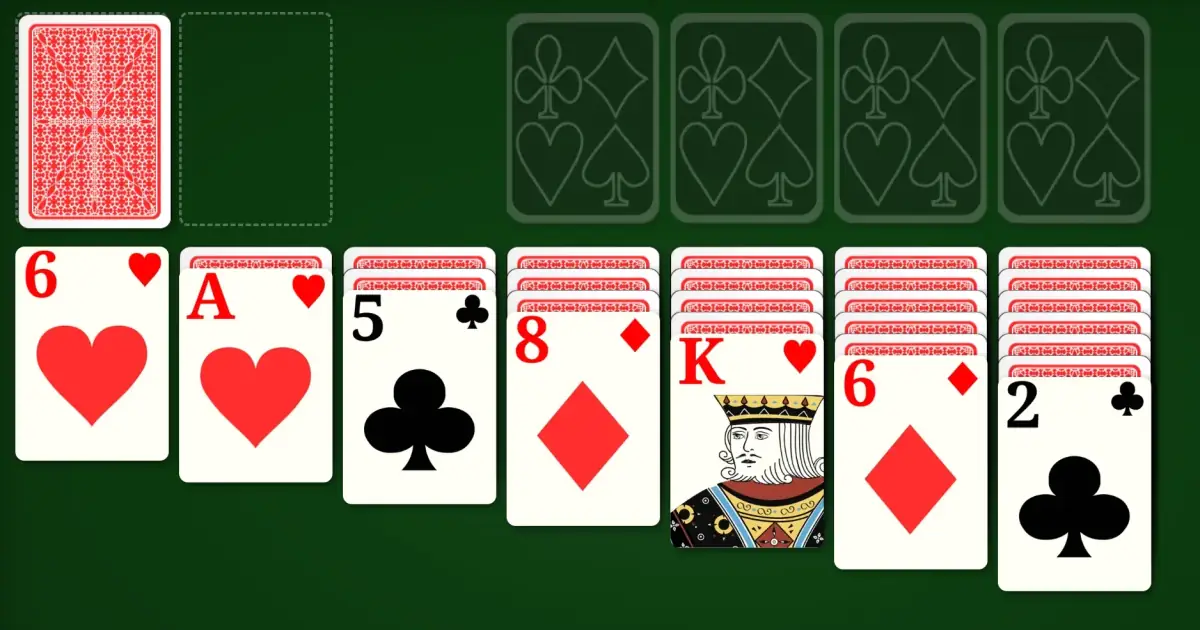
The cards are bigger than on most game sites, with bold numbers and strong colour contrast. In the game's Settings you can pick a different card design, such as the Large Simple style with oversized, plain markings. You can also change the card back and raise the text size. Browser zoom makes everything larger still.
🛡️ Safe to Click Around
No pop-ups and no fake download buttons. There is nothing on the screen that can trick a trusting parent into installing something or spending money.
⏸️ No Time Pressure
The timer only counts up and can be paused. There is no countdown and no penalty for going slowly, so they can think through each move, step away for tea, and come back later.
Help Keep It Free and Clean
Would you support a Supporter plan?
TrySolitaire is free to play, and we would like to keep it that way. We are thinking about an optional Supporter plan for families who want to help — with extras like an extra-large card mode, more high-contrast themes, and saved games across devices. It is not built yet. If you would use it, tell us which option fits best. Your answer helps us decide what to build.
Have a thought to share? Tell us what you would want.
Thoughtful Gifts for Card Lovers
If you want to give something in the real world too, large-print playing cards and simple card holders make a lovely gift for a parent or grandparent who loves the game. Our short guide to classic playing cards explains what to look for, including easy-grip decks and high-contrast designs that are kind to older eyes.
Frequently Asked Questions
What are the best simple games for elderly parents?
Klondike solitaire is the best starting point because most older adults already know it from playing with real cards. TriPeaks and Memory Match are gentle, quick, and easy to learn. All three use large cards, and there is no countdown or time limit, so there is no pressure.
Are these games really free?
Yes. Every game is free to play, with no account to create and nothing to install. There are no disguised download buttons or fake virus warnings, which are common on other free game sites and can confuse or worry an older parent.
Which tablet is easiest for an elderly parent?
Any tablet with a web browser works, including an iPad, a Samsung Galaxy tablet, or an Amazon Fire tablet. A larger screen is easier on older eyes. You do not need a special device, and you do not need to install an app from a store.
Are card games good for a parent with memory loss?
A familiar card game can be a calming, enjoyable routine for a parent with early or moderate memory loss. Sorting and matching cards gently engages memory. It is not a medical treatment, but many caregivers find it a safe, low-pressure activity, helped by unlimited undo and hints.
Ready to Set It Up?
Open the game on their tablet and follow the two-minute setup above.
Open a Free Game